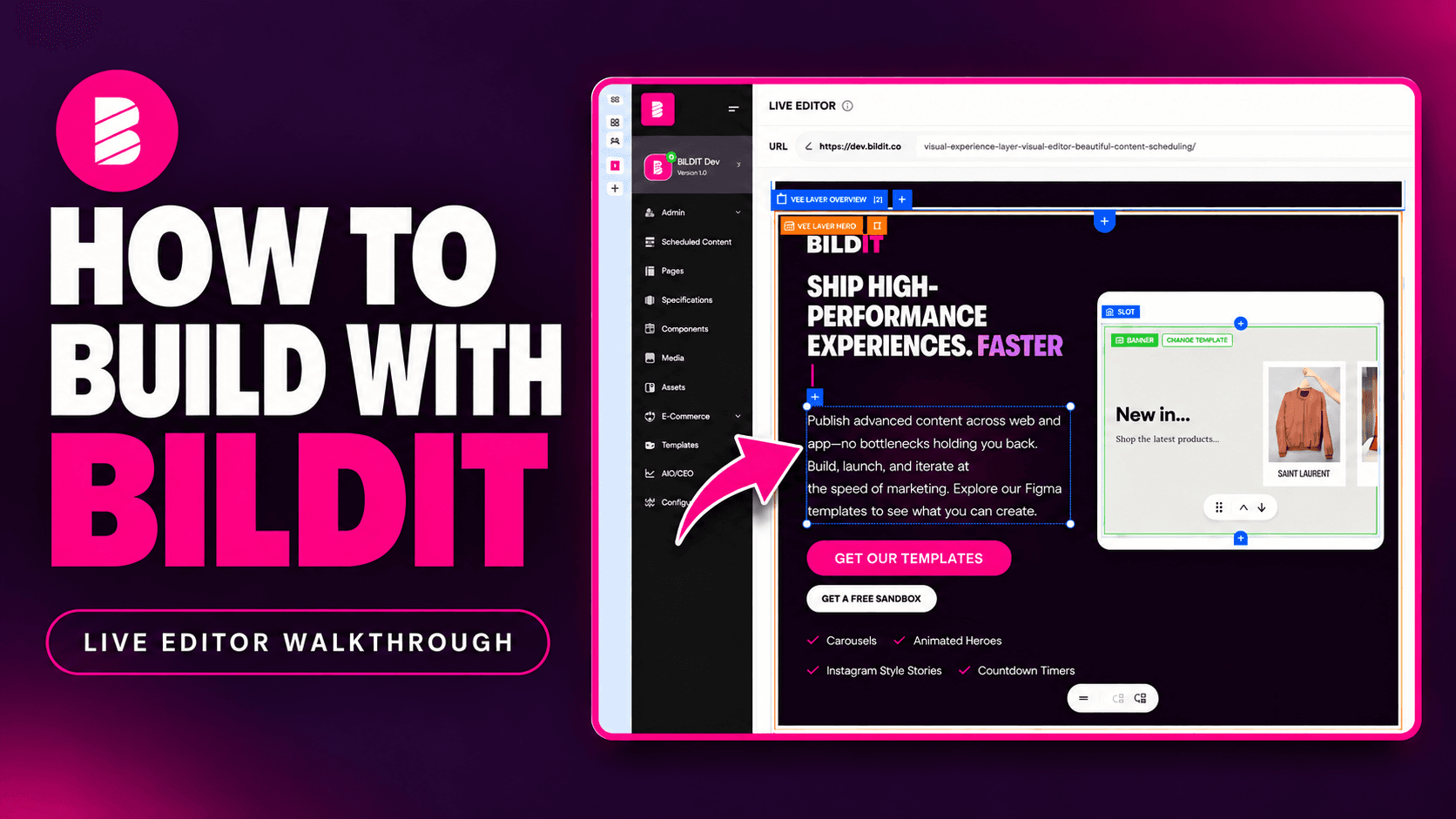
Launch Campaigns Without Developers: A Guide for eCommerce Marketers
Edit, schedule and publish on your Next.js or Shopify Hydrogen site in minutes. No tickets. No releases. No waiting on IT.
It's 2026. AI writes code in seconds. Your homepage banner still takes two weeks.
You file the ticket. It waits for the next sprint. The sale starts. The banner doesn't.
Your goals keep growing. Your team doesn't. And every request to IT ends the same way: not this sprint.
You're not slow. Your setup is. Here's how eCommerce marketers launch campaigns without developers, and why their developers are glad they do.
Why do marketers wait on developers to launch campaigns?
On most eCommerce sites, every content change is a code change. A new hero banner. A promo headline. A holiday section. Each one
needs a developer to build it, test it and push out a release.
That creates three problems:
- The queue. Your campaign competes with bug fixes and new features. Bug fixes usually win.
- The code freeze. Peak season locks the site. Black Friday is exactly when you need changes most.
- The guesswork. You can't see the page until it's live. So you hope it looks right.
None of this is your developers' fault. They're stuck in the same queue. The setup forces every change through code.
What does "launch campaigns without developers" mean?
Developers build the pieces once. Marketers use them forever.
Your developers still matter. They build the components: carousels, animations, video players, hero banners. Then they decide which
parts you can change. Text, images, buttons and dates are yours. Layout and code stay theirs.
As BILDIT's Matt Hudson puts it in episode 1 of the BILDIT channel:
"As a marketer, I need it to be as easy as possible to make changes to my website... without being able to move anything around on the
page or accidentally break the responsiveness."
That's the deal. Freedom inside guardrails. You move fast. The site stays safe.
How to launch a campaign without a developer in 6 steps
Every step happens on the live page, in BILDIT's visual editor:
Step 1: Preview any page on any date
Open the page in the live editor. See it exactly as customers will. Pick any date. Switch between desktop, tablet and mobile.
Step 2: Add a section from a template
Every part of the page is a slot. A hero, a banner, a button, even the logo. Drop a ready-made section into any slot. If nothing is
scheduled, the page shows its default content. Nothing ever goes blank.
Step 3: Edit text, buttons and images on the page
Click the headline. Type. Done. Animations keep running while you edit, because BILDIT edits the real code your developers built. Swap
images from your media gallery in seconds.
Step 4: Schedule your promotion in advance
Set when it goes live and when it comes down. Valentine's Day. Easter. Black Friday. Schedule years ahead if you want. One section can
have several separate schedules.
Step 5: Target categories and pages with one rule
Show one banner on many pages at once. Target a whole category, like every women's page, with a single rule.
Step 6: Check every screen size, then publish
Preview the exact date it goes live. Check desktop, tablet and mobile. Then publish. No release. No ticket. No surprises.
See all six steps on your own site.
Marketing teams: Book a call and we'll walk you through it.
Developers: Start a free demo in the developer sandbox.
Or watch episode 1 of the BILDIT channel.
Why launch speed drives eCommerce revenue
Trends move in hours. Slow pages lose sales.
- Trends don't wait. A product goes viral on Tuesday. With a two-week queue, your campaign lands after the moment has passed.
- Speed sells. Google and Deloitte found a 0.1-second faster mobile site lifted retail conversions by 8.4% (Milliseconds Make Millions). BILDIT renders content on the server, so new content doesn't slow the page down.
- Personal beats generic. McKinsey found effective personalization lifts revenue 5 to 15% (McKinsey). You can't personalize if every version needs a ticket. Episode 2 of the BILDIT channel covers personalization.
The proof is close to home. bildit.co runs on BILDIT. It's a Next.js site, and BILDIT's own marketing team edits it this way every
day.
How to choose a visual editor for Next.js and Shopify Hydrogen
Five questions separate real independence from a new kind of ticket queue:
- Does it work on your existing site? No rebuild. BILDIT works with Next.j and Shopify Hydrogen storefronts on Shopify, Salesforce Commerce Cloud, Adobe Commerce and SAP Hybris.
- Can you see exactly what goes live? Live preview on server-rendered page is hard. Most tools can't do it.
- Can you schedule ahead? Including separate dates for the same content.
- Can your developers set guardrails? You want freedom, not the power to break the layout.
- Does content publish without a release? If it still needs a release, it' still a ticket.
For developers: what BILDIT changes, and what it doesn't
Share this section with your engineering team.
BILDIT doesn't replace your stack. It adds a visual layer to it.
- Your components stay in your codebase. You decide what marketing can edit.
- Nothing goes live by accident. Changes stay in draft until someone publishes them.
- Pages never break. Every slot has fallback content.
- Production stays safe. Test on a development site first.
- Prefer code? There's a code view.
Try it on your own stack. Start a free trial in the developer sandbox.
Launch campaigns on your schedule, not the sprint's
One marketer. Every page. Every date. No tickets.
Your developers build the pieces once. You launch campaigns when the moment is right, not when the sprint allows.
Marketing teams: Book a call to see BILDIT on your site.
Developers: Start a free trial.
Elegant: Fast, controlled, sophisticated.